
Choosing a photocopier is not simply about finding the cheapest machine.
It might look like a simple decision at first. Find a machine, compare the rental price, and choose the one that seems affordable.
But in a real office, it doesn’t work that way.
The right photocopier depends on how much your office prints, what kind of documents you handle, whether you mainly print in black and white or colour, how often you scan, and how important speed and reliability are to your daily work.
We provide photocopier rental machines in Negeri Sembilan for businesses that want a practical printing solution without the upfront cost and responsibility that comes with buying and managing their own equipment.
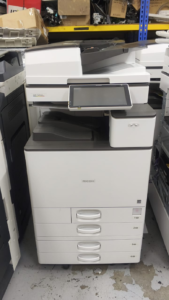
Different businesses work differently.
A small accounting firm may care more about reliable scanning and black-and-white printing. A travel agency may need colour printing. A contractor may regularly deal with A3 documents and project paperwork. A tuition centre might suddenly need to print thousands of pages before examinations.
So instead of putting everyone into the same machine, we look at how your office actually uses its photocopier.
Our Photocopier Rental Machines
We offer different types of photocopier machines for different workloads.
There isn’t much point in giving a small office a high-speed production machine if it will only print a few hundred pages a month. On the other hand, putting a busy office on a machine that is too small can quickly become frustrating.
1.A3 Black & White Photocopier
For offices that mainly deal with documents, an A3 black-and-white photocopier can be a practical choice.
It is commonly used for:
– Accounting firms
– Law firms
– Contractor companies
– Small offices
– Administrative departments
– Businesses with a lot of paperwork
Invoices, contracts, reports, statements and internal documents are usually straightforward to print. What matters more is whether the machine can handle the workload consistently.
When recommending a black-and-white machine, we look at things such as printing speed, expected monthly volume, scanning capability, paper capacity and running cost.
2.A3 Colour Photocopier
Some businesses need more than plain black-and-white documents.
Travel agencies, marketing teams, sales departments and corporate offices may regularly print proposals, presentations, brochures, quotations and other colour documents.
An A3 colour photocopier can make sense when the appearance of the document matters.
But colour quality is only part of the decision.
Colour printing cost, printing speed, paper handling and expected monthly usage all need to be considered. A machine that produces beautiful colour documents but costs too much to run may not be the right choice for your office.
3.High-Speed Photocopier
If your office prints thousands of pages every month, speed starts to matter.
A slow machine can hold people up, especially when several employees are waiting to print or scan documents at the same time.
A high-speed photocopier can be a better fit for businesses with heavier workloads and large batches of documents.
That doesn’t mean faster is always better.
If your office doesn’t need that level of speed, paying more for a much larger machine may simply increase your costs.
The better approach is to match the machine’s speed to your actual workload.
4.Office Multifunction Photocopier
For many businesses, one machine needs to do more than make copies.
A multifunction photocopier can combine:
– Printing
– Copying
– Scanning
– Duplex printing
– Network printing
– Document management functions
Instead of having several separate devices around the office, one suitable multifunction machine can handle most everyday document work.
For offices with several users, this can also make the workflow much simpler.
Which Photocopier Is Right for Your Business?
There is no single photocopier that is perfect for every business.
The machine that works well for an accounting firm may not be the best choice for a tuition centre or contractor company.
1.Small Office
If you have a small team with moderate printing requirements, you probably don’t need the biggest machine available.
A reliable A3 multifunction copier may be enough for everyday printing, copying and scanning.
The important thing is that it does the job without becoming an unnecessary expense.
2.Accounting Firm
Accounting offices deal with invoices, statements, supporting documents and client paperwork almost every day.
For this type of office, reliable black-and-white printing and fast scanning can be more useful than advanced colour features.
If your staff are constantly scanning and printing documents, those small differences can make a noticeable difference to the daily workflow.
3.Law Firm
Law firms often handle contracts, agreements, case documents and supporting paperwork.
Printing quality matters, but reliability matters too.
You don’t want an important document delayed because the machine keeps giving problems.
Document scanning, consistent black-and-white printing and dependable operation are usually worth paying attention to.
4.Travel Agency
Travel agencies may print itineraries, quotations, brochures and customer documents.
When documents are used directly with customers, colour can make a difference.
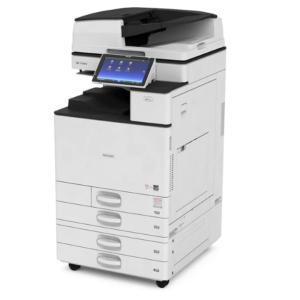
In this situation, an A3 colour photocopier may be more suitable, especially if the office regularly produces customer-facing documents.
5.Contractor Company
Contractors can have quite different printing requirements.
Quotations, tenders, project documents, drawings and A3 paperwork may all be part of the daily workload.
Here, A3 capability and reliable document handling can be more important than simply finding the lowest monthly rental.
6.Tuition Centre
Tuition centres can experience significant increases in printing before examinations, new classes or major programmes.
For this reason, it is useful to consider both average monthly usage and peak periods when selecting a photocopier.
A machine that works well during normal weeks but struggles during examination periods may not be the most suitable long-term solution.
7.Warehouse or Factory
Operational businesses often print delivery orders, invoices, packing documents, production paperwork and internal forms.
The machine may not be used for fancy colour documents, but it needs to work when people need it.
For these businesses, reliability and responsive service support can be more important than saving a small amount on monthly rental.
Don’t Choose a Photocopier Based Only on PPM
PPM means pages per minute.
It’s an important specification, but don’t let that number make the entire decision for you.
A faster machine isn’t automatically a better machine.
Imagine an office that only prints 1,000 pages a month. Buying or renting an extremely high-speed machine may not make much sense.
At the same time, if an office regularly prints 10,000 or 20,000 pages, choosing a machine that is too slow can waste employees’ time.
We also look at:
– Monthly printing volume
– Number of users
– A4 versus A3 usage
– Black-and-white volume
– Colour volume
– Scanning requirements
– Paper capacity
– Duplex printing
– Office workflow
– Expected business growth
– Budget
The goal is quite simple: match the photocopier to the way your office works.
What Should You Compare Before Renting?
When comparing photocopier rental machines, don’t stop at the monthly rental price.
A low monthly rental can look attractive on paper, but the overall cost may be very different once printing, toner, servicing and other charges are included.
Before signing a rental agreement, check the complete package.
1.Monthly Rental
How much will you actually pay every month?
Make sure you understand what is included and what is charged separately.
2.Black-and-White Cost
If your office prints a lot of black-and-white documents, the cost per page can have a big impact on your monthly expenses.
3.Colour Cost
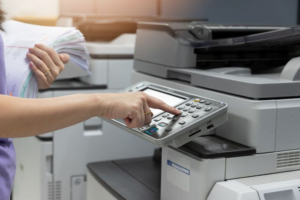
Colour pages can cost considerably more than black-and-white pages.
If your business relies heavily on colour printing, this is something you should calculate before choosing a machine.
4.Toner
Is toner included in the rental package?
If not, how much will replacement toner cost?
5.Maintenance
Who handles servicing when the machine needs attention?
A photocopier is a working piece of office equipment. Like any machine, it needs maintenance.
6.Parts
Find out who pays for replacement parts and normal wear-and-tear components.
7.Technical Support
More importantly, who do you contact when something goes wrong?
A machine that is affordable but difficult to get support for can become expensive in another way — through downtime and lost working hours.
8.Contract
How long is the rental agreement?
Make sure you understand the commitment before signing.
9.Upgrade Options
What happens if your business grows?
If your printing volume increases next year, can you move to a more suitable machine?
These details can affect your real cost much more than the advertised monthly rental.
Buy or Rent a Photocopier?
Buying a photocopier isn’t necessarily a bad decision.
If your business has enough capital, stable printing requirements and the resources to handle maintenance, purchasing may make sense.
Rental can be more attractive when you prefer:
– Lower upfront investment
– Predictable monthly payments
– Technical support
– Toner and maintenance arrangements
– Less responsibility for equipment management
– More flexibility when printing requirements change
For businesses with changing or unpredictable printing volumes, a pay-per-page arrangement or a combination of different machines may also be worth considering.
There isn’t one answer for every business.
It comes down to your workload, budget and how you want to manage your office equipment.
Why Choose Our Photocopier Rental Machines?
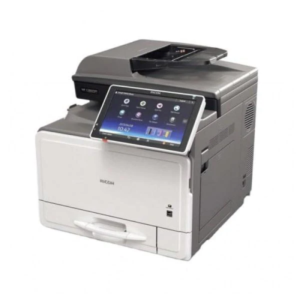
We don’t believe every customer needs the same photocopier.
Before recommending a machine, we want to understand what you actually need.
Our approach is simple:
Understand your printing requirements first. Recommend the machine second.
You don’t need to know the exact model before contacting us.
Just tell us a little about your office:
– What your business does
– Number of users
– Estimated monthly printing volume
– Black-and-white or colour requirements
– Whether you need A3 printing
– The documents you print most often
– What problems you are currently facing
– Your budget or main concern
From there, we can recommend a practical photocopier rental solution in Negeri Sembilan based on your actual requirements.
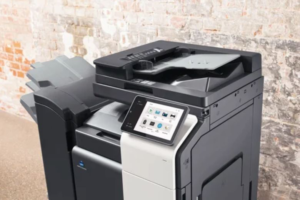
Photocopier Rental Areas in Negeri Sembilan
We provide photocopier rental solutions for businesses in areas including:
– Seremban
– Seremban 2
– Senawang
– Bandar Sri Sendayan
– Nilai
– Port Dickson
– Other areas throughout Negeri Sembilan
If you’re not sure whether we cover your area, just ask.
Choose the Machine Based on Your Business — Not the Salesman’s Target
The most expensive photocopier isn’t automatically the best.
The cheapest one isn’t either.
A good photocopier is the one that can handle your workload at a sensible overall cost and give your employees the reliability they need every day.
You shouldn’t have to pay for features your business never uses.
And you shouldn’t save a little money today only to spend more later because the machine is too slow, too small or difficult to maintain.
Tell us what you print.
Tell us roughly how much you print.
And, more importantly, tell us what you don’t want to deal with — slow printing, frequent breakdowns, high colour costs, limited scanning or unexpected maintenance expenses.
We’ll help you find a photocopier rental machine in Negeri Sembilan that fits the way your business actually works.